GTA 6 Guide: Where to Find Your Saved Photo Studio Pictures
Insider Gaming has published a guide explaining where GTA 6's photo mode stores the pictures you take, pointing players to console-specific locations rather than an in-game gallery.
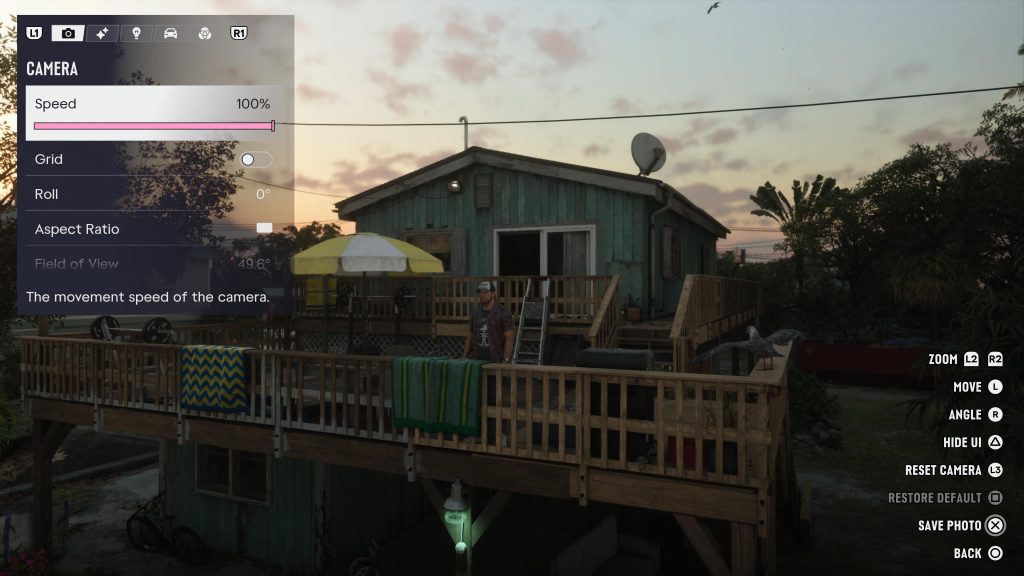
GTA 6 includes a photo studio mode for composing and capturing in-game shots, but according to a new guide from Insider Gaming, the pictures you take don't simply live in a menu inside the game itself. Instead, the outlet says players need to look at their console's own media storage system to track them down.
The specifics of that process point to the console-level capture tools that PlayStation and Xbox have built into their systems for years, which GTA 6 appears to tap into for saving photo studio output. Insider Gaming frames this as the practical answer to a question players are likely to have after spending time in the mode: once you've framed a shot and hit capture, where does it actually go?
The guide's focus suggests this isn't an unusual design choice so much as an extension of how screenshots and clips already work on PS5 and Xbox. Players accustomed to using their console's share or capture button to grab screenshots in other games should find a similar path applies here, with the GTA 6 photo studio feeding into that same system rather than maintaining a separate in-game library.
For anyone who's taken photos in the mode and can't immediately find them, the takeaway from Insider Gaming's piece is to check your console's dedicated media gallery or captures folder first, rather than searching through GTA 6's own menus.